

Docs ComplyPress — Cookie Notice & Policy Banner for WordPress
Welcome page
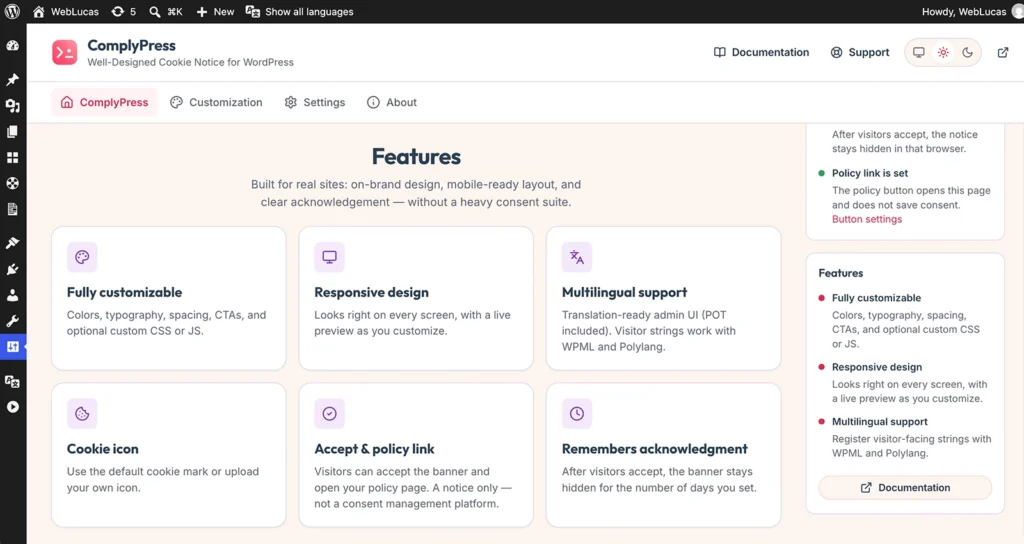
The Welcome page is the home screen of ComplyPress. It tells you what the plugin does and where to start. It does not change the notice visitors see.
Open it
- Go to Settings → ComplyPress.
- The first sidebar item is ComplyPress. That is the Welcome page.
What is on the page
- Get started opens Customization, where you edit the notice.
- Documentation opens these guides in a new tab.
- A short list of what the plugin does, then a Features section.
- Common Questions under Features. The first question is open.
The rest of the sidebar
- Customization — notice behavior, card, icon, title, message, buttons, and custom CSS/JS. A live preview sits on those screens.
- Settings — reset, uninstall, export, import, and system information. See Export, import, and uninstall.
- About — plugin version and details.
The header logo returns to this Welcome page. Documentation, Support, the theme switcher, Save changes, and View site stay in the header while you work.
Next: Notice behavior.
Still have questions?
Send us a message from the contact page and we will reply by email.