

Docs ComplyPress — Cookie Notice & Policy Banner for WordPress
Card
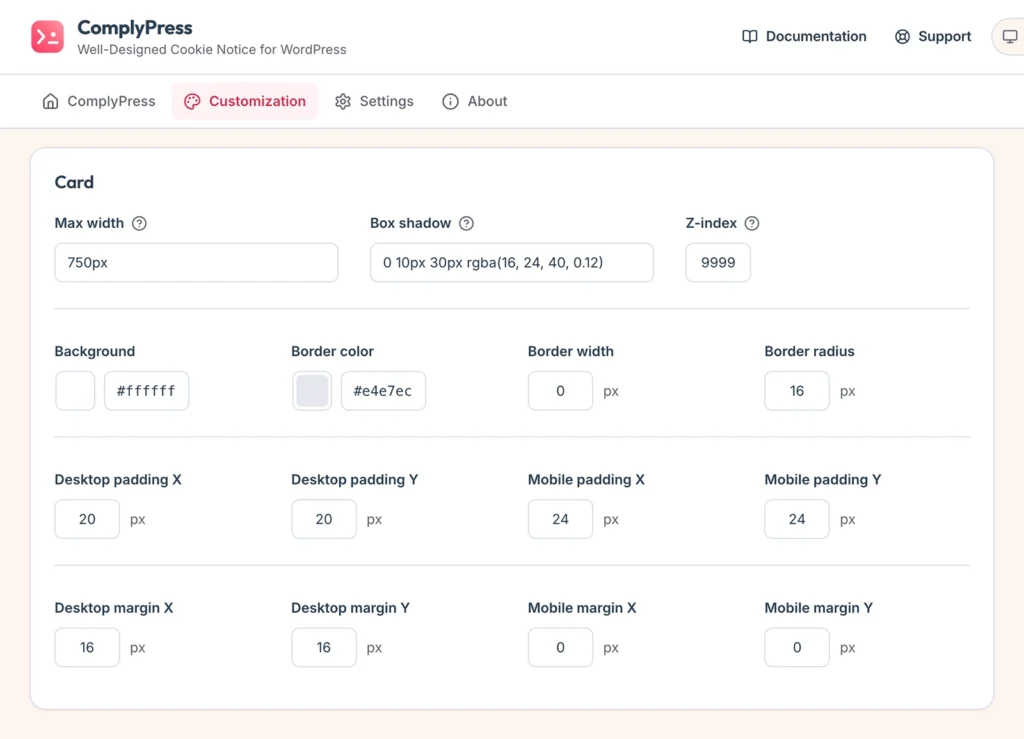
The card is the banner box visitors see. Open Customization → Card. The preview at the bottom updates as you edit. Click Save changes when the preview looks right.
Size and surface
- Max width — a CSS length such as
750pxor40rem. - Box shadow — the shadow under the card.
- Z-index — how high the card sits above other page elements.
- Background, Border color, Border width, and Border radius — the fill and edge of the card.
Padding
Padding is the space inside the card, around the icon, text, and buttons.
- Desktop padding X and Desktop padding Y — horizontal and vertical padding on larger screens.
- Mobile padding X and Mobile padding Y — the same values on small screens.
Distance from the edge
Margin is the gap between the card and the edge of the browser window.
- Desktop margin X and Desktop margin Y.
- Mobile margin X and Mobile margin Y.
Next: the Icon.
Still have questions?
Send us a message from the contact page and we will reply by email.