

Docs ComplyPress — Cookie Notice & Policy Banner for WordPress
How translations work
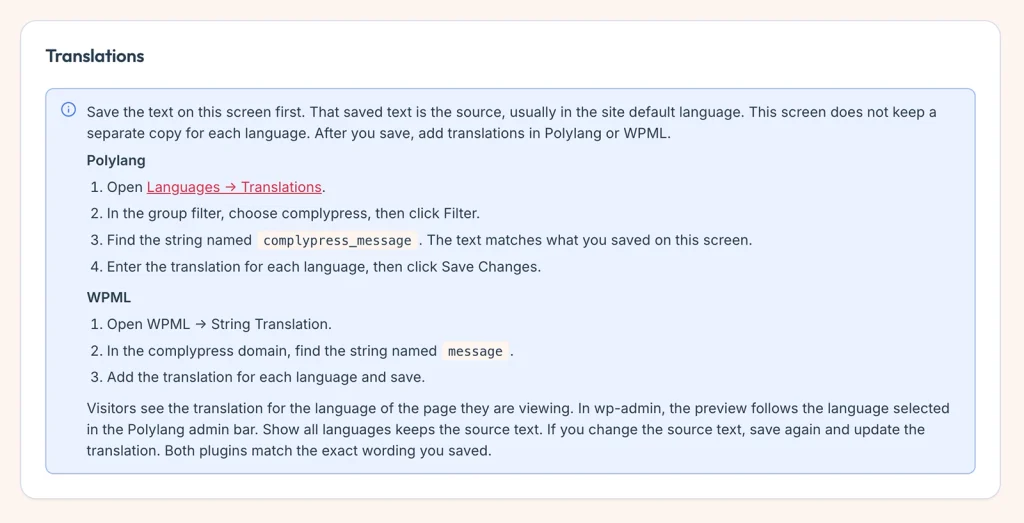
ComplyPress keeps one saved copy of each visitor string, usually in the site’s default language. It does not store a separate copy per language on the Customization screen.
The flow
- Write the title, message, and button labels on Customization.
- Click Save changes. That saved wording is the source.
- Translate it in Polylang or WPML. ComplyPress registers the strings when you are in wp-admin and after you save, not on every public page view.
- A visitor sees the translation for the language of the page they are viewing. If no translation exists, they see the source text.
In wp-admin
- With Polylang, the preview follows the language selected in the admin bar.
- Show all languages keeps the source text in the preview.
- If you change the source text, save again, then update the translation. Both plugins match the exact wording you saved.
Colors, sizes, and layout are not translated. Only the strings in Strings you can translate are.
Next: Translate with Polylang or Translate with WPML.
Still have questions?
Send us a message from the contact page and we will reply by email.