

Docs ComplyPress — Cookie Notice & Policy Banner for WordPress
Buttons
The notice has two buttons. Open Customization → CTA Buttons. Leave a button’s text empty to hide that button.
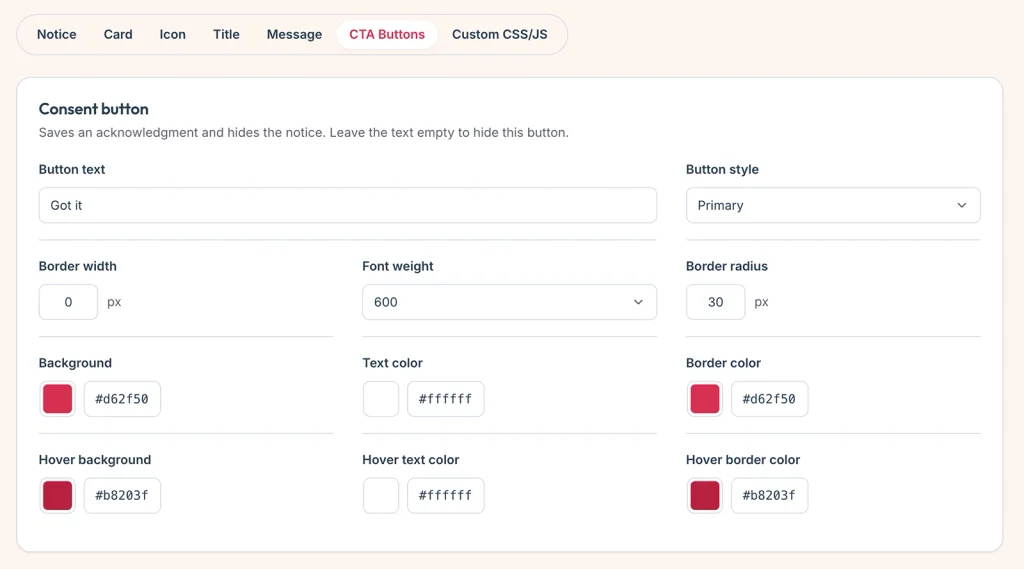
Accept button
This button saves the visitor’s acknowledgment and hides the notice.
- Button text — default “Got it”.
- Button style — Primary (filled), Outline, or Link.
- Border width, font weight, and border radius.
- For Primary and Outline: background, border, and text, then the same three colors for hover.
- For Link: text color and hover text color. A link button has no fill.
Cookie policy button
This button opens your policy. It does not save an acknowledgment and does not hide the notice.
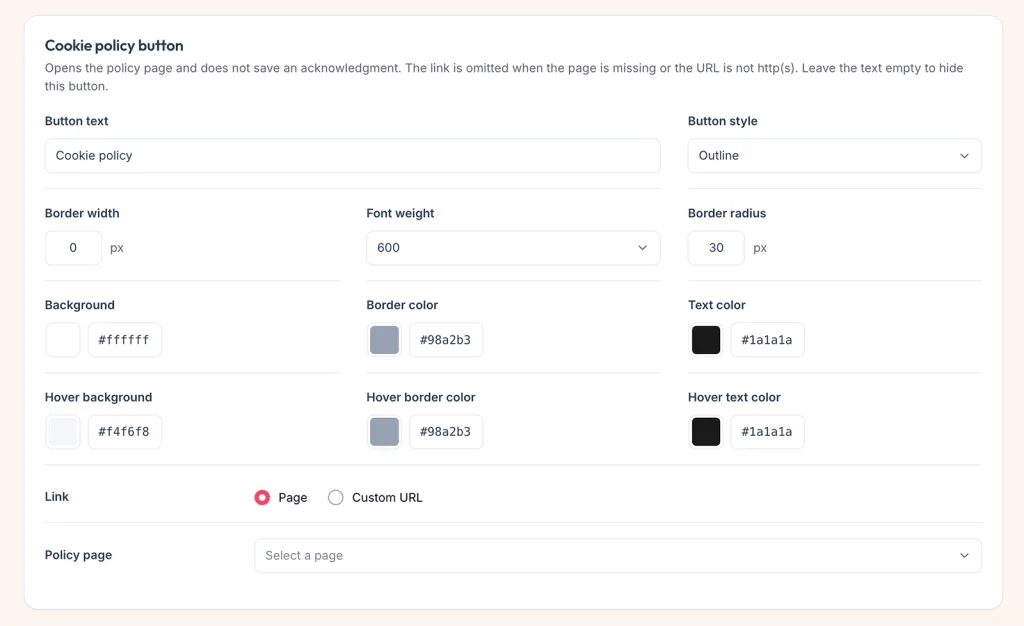
- Button text — default “Cookie policy”.
- Button style — Primary, Outline, or Link, with the same color controls as the accept button.
- Link — choose Page or Custom URL.
- Policy page — a WordPress page. The button uses that page’s translation when Polylang or WPML has one. See Policy link per language.
- Policy URL — an http or https address. The button is omitted if the URL is missing or is not http(s).
Shared layout
Under CTA buttons layout, font size and padding apply to both buttons. Desktop and mobile each have horizontal and vertical padding, plus the gap between the buttons.
Click Save changes.
Next: Custom CSS and JavaScript.
Still have questions?
Send us a message from the contact page and we will reply by email.