

Docs ComplyPress — Cookie Notice & Policy Banner for WordPress
Overview
ComplyPress is a cookie notice for WordPress. You control the card, icon, title, message, and buttons. Visitors can accept the notice and open your policy page. Their acceptance is stored in the browser for the number of days you choose.
The visitor’s accept choice is stored in that browser’s localStorage, under the key complypress_ack. It is not a cookie, and WordPress does not save it in the database.
The stored value is a small JSON record with two fields:
- revision — the current notice revision. “Show again cookie notice” bumps this, so an older stored choice no longer counts.
- expires — a timestamp set to now plus the number of days you chose (1–365, default 30).
On later visits the script reads that record. If the revision matches and the expiry is still in the future, the notice stays hidden. Another browser, another device, or cleared site data has no record, so the notice shows again.

What visitors see
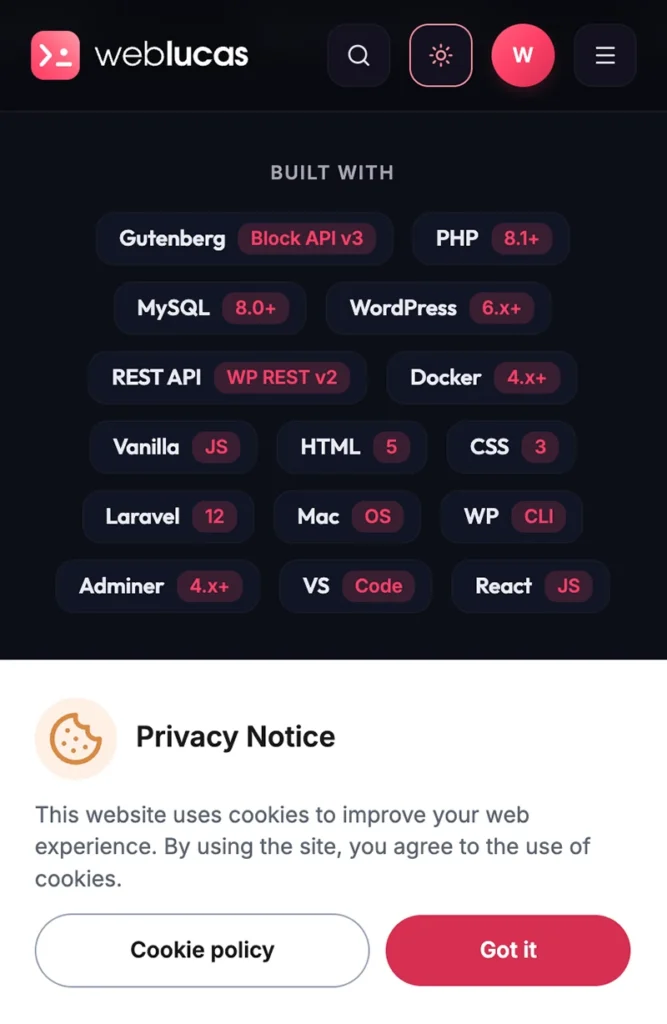
- A banner fixed along the bottom of the page. There is no dimmed overlay, and the page stays scrollable.
- An accept button (default label “Got it”) hides the notice and saves the choice in this browser.
- A cookie policy button (default label “Cookie policy”) opens a WordPress page or a custom URL. It does not hide the notice and does not save a choice.
What ComplyPress does not do
ComplyPress is a notice, not a consent management platform. It does not:
- Block scripts, tags, or iframes until consent.
- Scan cookies or group them into categories.
- Lock the page behind a modal.
- Replace your privacy policy or legal review.
Requirements
- WordPress 6.0 or newer.
- PHP 7.4 or newer.
- A user who can manage plugins (typically Administrator).
- On a multisite network, each site has its own ComplyPress settings.
Where to go next
- Install and activate the plugin.
- Open the Welcome page and walk the admin.
- Set Notice behavior, then style the card, text, and buttons.
Still have questions?
Send us a message from the contact page and we will reply by email.